
Ubuntu 蓝牙开机初始化(bcm4343、cyw43438、cyw43455、nm372、cm256)
命名关系
AW-NM372SM是一颗wifi模组,使用了cyw43438_A1芯片组;而AW-CM256SM这颗wifi模组则集成了CYW43455芯片组。
其中,蓝牙都使用了UART接口。
Ubuntu 下初始化
nm372和cm256可以都使用同样的蓝牙固件
在开机脚本中放入
systemctl stop bluetooth
ifconfig wlan0 > /dev/null
if [[ $? -eq 0 ]];then
    brcm_patchram_plus1 --enable_hci --no2bytes --use_baudrate_for_download --tosleep 200000 --baudrate 1500000 --patchram /root/4343A1_Generic.hcd  /dev/ttyS9 &
fi
sleep 1
systemctl start bluetooth
其中最重要的是这个命令:
brcm_patchram_plus1 --enable_hci --no2bytes --use_baudrate_for_download --tosleep 200000 --baudrate 1500000 --patchram /root/4343A1_Generic.hcd /dev/ttyS9 &
用于将/root/4343A1_Generic.hcd这个固件下载到模组中
&用于指定在后台执行,因为下载完成后,这个命令也会继续允许维持蓝牙的工作,会阻塞其他命令,如果尝试在前台执行,正常情况下会看到如下输出
proc_resetsend hci_download_minidriverproc_resetDone setting line discpline
bug及解决方式
如果只有proc_reset,则表示下载没有正常进行,蓝牙也就没办法正常工作。下载不了可能是波特率的问题,参考https://community.infineon.com/t5/AIROC-WiFi-MCUs/cyw43438-%E8%93%9D%E7%89%99%E5%8A%A0%E8%BD%BD%E5%9B%BA%E4%BB%B6%E5%A4%B1%E8%B4%A5/td-p/393401#.
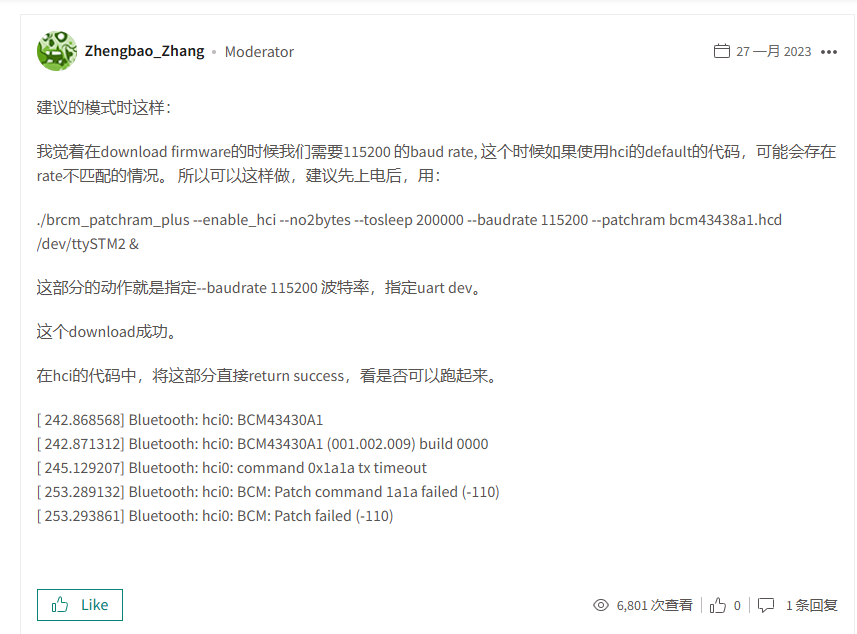
调整波特率为115200,下载成功。蓝牙正常工作。

留下评论