
Git 速度慢配置使用 Clash 代理
由于github不一定被墙,所以Clash代理规则不一定生效,本文通过配置git走代理提高速度。
-
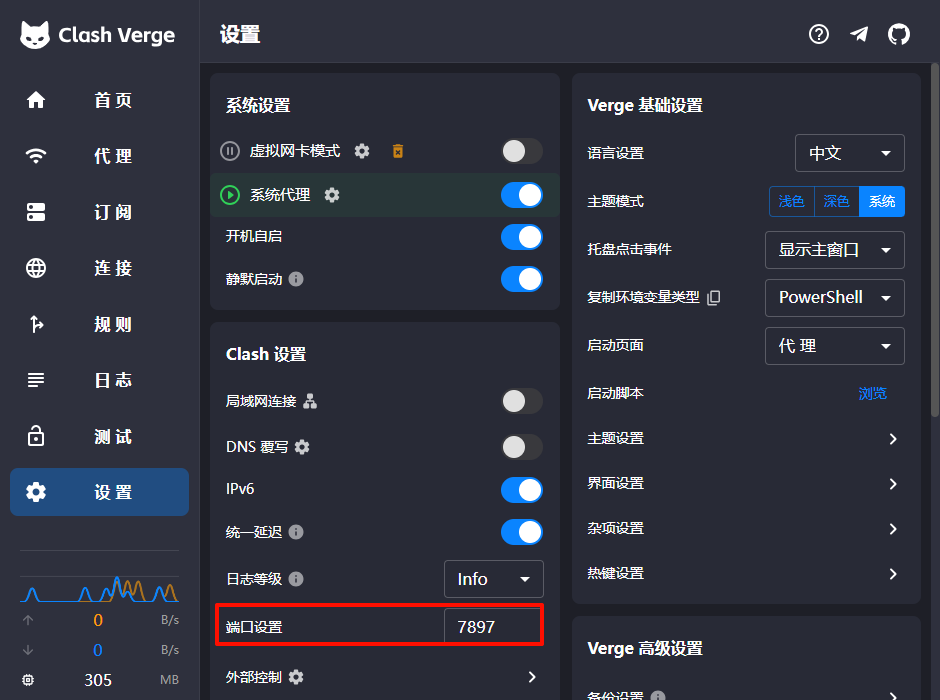
设置中可以配置端口
-
首页中,查看系统代理地址
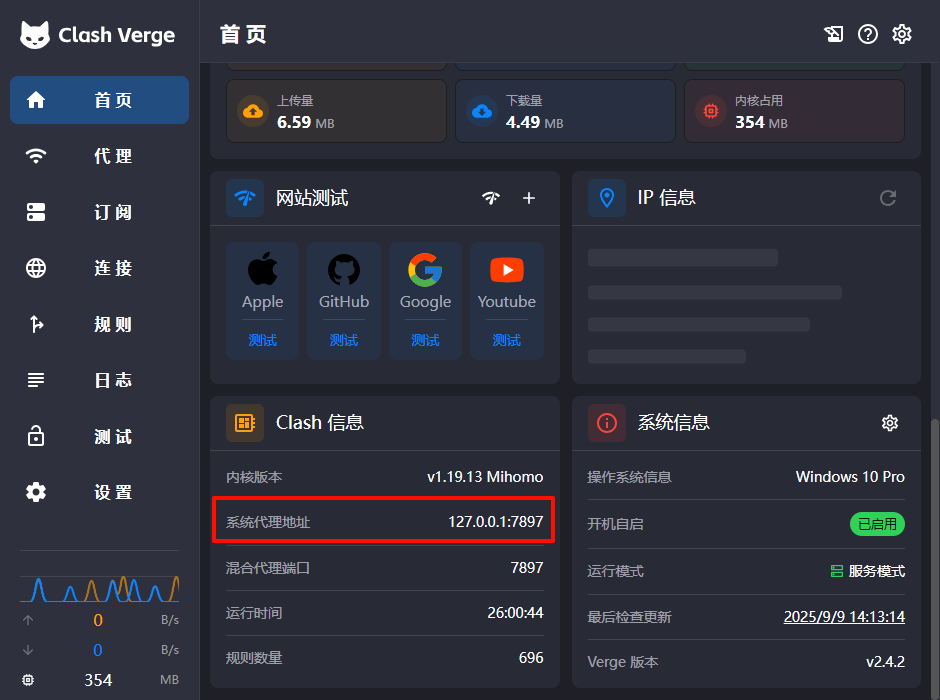
- 使用该地址进行配置,在git bash中输入
git config --global http.proxy http://127.0.0.1:7897 git config --global http.proxy https://127.0.0.1:7897 - 验证配置是否成功
git config --global --get http.proxy git config --global --get https.proxy - 删除代理配置
git config --global --unset http.proxy
git config --global --unset https.proxy

留下评论