
How to Flash a Full Firmware (update.img) on RK
- Author: Wu Sihan (Witheart)
- Updated: 20251114
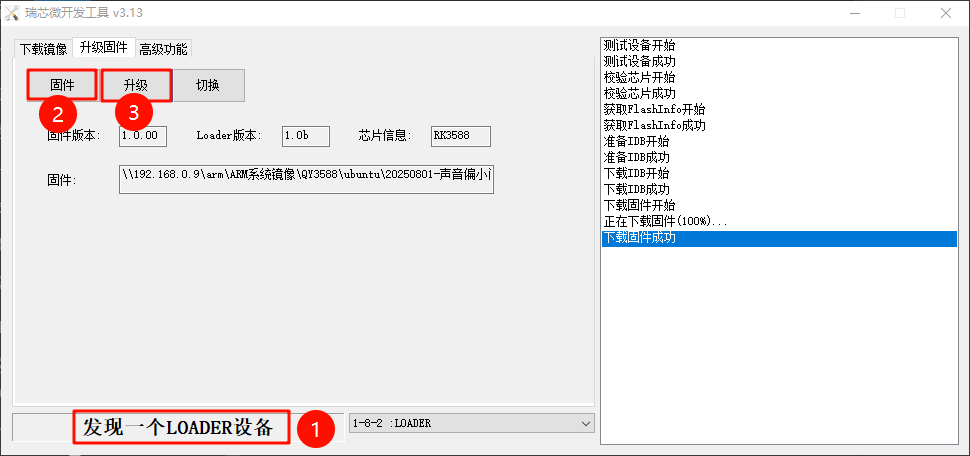
- First, put the development board into flash mode. At this point, the Rockchip Developer Tool will show “Found One LOADER Device”.
- Click the “Firmware” button and select the full firmware package to be flashed.
- Click “Upgrade” to start flashing. The flashing result will be displayed in the text box on the right.

留下评论